

I wish I could do stuff like you and Sarah. I'm no good with shading and I'm a bit of a lost cause when it comes to art but that doesn't mean I can't still wish.Originally Posted by Sou Cleife

So how do we decide mini-teams?
Results 191 to 200 of 560
-
05-13-2015, 01:08 AM #191
 The Queen of Shaymin
 Site EditorAdministrator
- Join Date
- Dec 2014
- Location
- US
- Posts
- 17,593
-
05-13-2015, 01:09 AM #192Hooligans, Represent!
- Join Date
- Jun 2013
- Posts
- 18,523
I was actually hoping for some feedback..lol its just a basic idea. Originally Posted by Noblejanobii
Proud partner with @Pokemon Trainer Sarah
Spoiler:
-
05-13-2015, 01:17 AM #193growing strong
Site EditorSenior Administrator
- Join Date
- Feb 2013
- Location
- Route 1
- Posts
- 10,750
It came out so great! You totally need to enter the graphic art contest! *-* How did you do the animation with the Sylveon? :O Originally Posted by Sou Cleife
-
05-13-2015, 01:18 AM #194
The Queen of ShayminSite EditorAdministrator
- Join Date
- Dec 2014
- Location
- US
- Posts
- 17,593
Random generator? Originally Posted by Shadow Tracker Max
-
05-13-2015, 01:19 AM #195Hooligans, Represent!
- Join Date
- Jun 2013
- Posts
- 18,523
That could work. maybe three person teams. Originally Posted by Noblejanobii
Proud partner with @Pokemon Trainer Sarah
Spoiler:
-
05-13-2015, 01:25 AM #196Fairy Fanatic
- Join Date
- Apr 2015
- Location
- Hyrule
- Posts
- 573
aww, I'm sorry :( Originally Posted by Noblejanobii
I'm actually...pretty horrible with shading though. My image of Sou has very -minimal- shading because I have trouble understanding how lights should be hitting the subject from their light source. I honestly wish I was alot better with art myself. Its partially what I went to college for, but I'm not good enough for a job, so, struggling with finding anything atm. orz
I'm sure there's something you can do and are really good at though! Like I personally struggle drawing any kinds of animals and sprites confuse the heck out of me.
@Pokemon Trainer Sarah~aww ty hehe
But for the animation, I just grabbed a gif on the net and popped it into Photoshop. When a gif, in CS5 opens in photoshop and you open the animation panel, there should be a layer for each frame in the animation. I cropped down the image, grouped it then took it into my banner file where I shrunk down the group to shrink down all the images to my desired size. After that, I made a custom shape (the pokeball), selected the outside of it after positioning it over my Sylveon image, then literally deleted everything outside each frame individually. After that, you can just go back into the animation panel and set the frames/layers up :>
At least thats what I did. I hope that makes sense lol
-
05-13-2015, 01:27 AM #197
The Queen of ShayminSite EditorAdministrator
- Join Date
- Dec 2014
- Location
- US
- Posts
- 17,593
Yeah the teams shouldn't be too big but not too small either. 3 person teams seems even. Originally Posted by Shadow Tracker Max
-
05-13-2015, 01:32 AM #198growing strong
Site EditorSenior Administrator
- Join Date
- Feb 2013
- Location
- Route 1
- Posts
- 10,750
Ahh awesome! Thanks for the tips. :D I look forward to trying animated things in the future! Originally Posted by Sou Cleife
-
05-13-2015, 01:48 AM #199Hooligans, Represent!
- Join Date
- Jun 2013
- Posts
- 18,523
cough cough...im trying to set something up here and you are only talking about banners. Originally Posted by Pokemon Trainer Sarah
Proud partner with @Pokemon Trainer Sarah
Spoiler:
-
05-13-2015, 01:49 AM #200growing strong
Site EditorSenior Administrator
- Join Date
- Feb 2013
- Location
- Route 1
- Posts
- 10,750
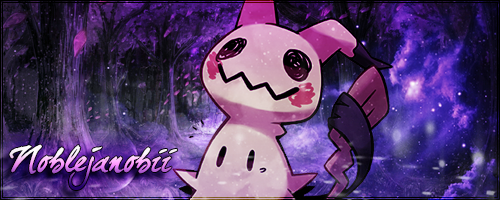
I am sorry but look at it! It is a fabulous banner! xD Originally Posted by Shadow Tracker Max
Do you know what we should do? We should play Pokemon pictionary in a xat chat like I used to do with my WFL peeps. Were you around for that Dredd? That was amazing.



 Reply With Quote



Bookmarks